Fix formulas that break when you move between Excel and Google Sheets
Importing a workbook from Excel into Google Sheets, or the other way, keeps your data and formatting. The formulas are what break: cells that worked yesterday now show #NAME? or #REF!.
The Migration Assistant finds those cells for you and fixes the ones it can.
One scan, four groups
Open Migration Assistant in the sidebar and scan the whole workbook, or click Choose sheets to scan only some tabs. Scanning changes nothing in your spreadsheet.
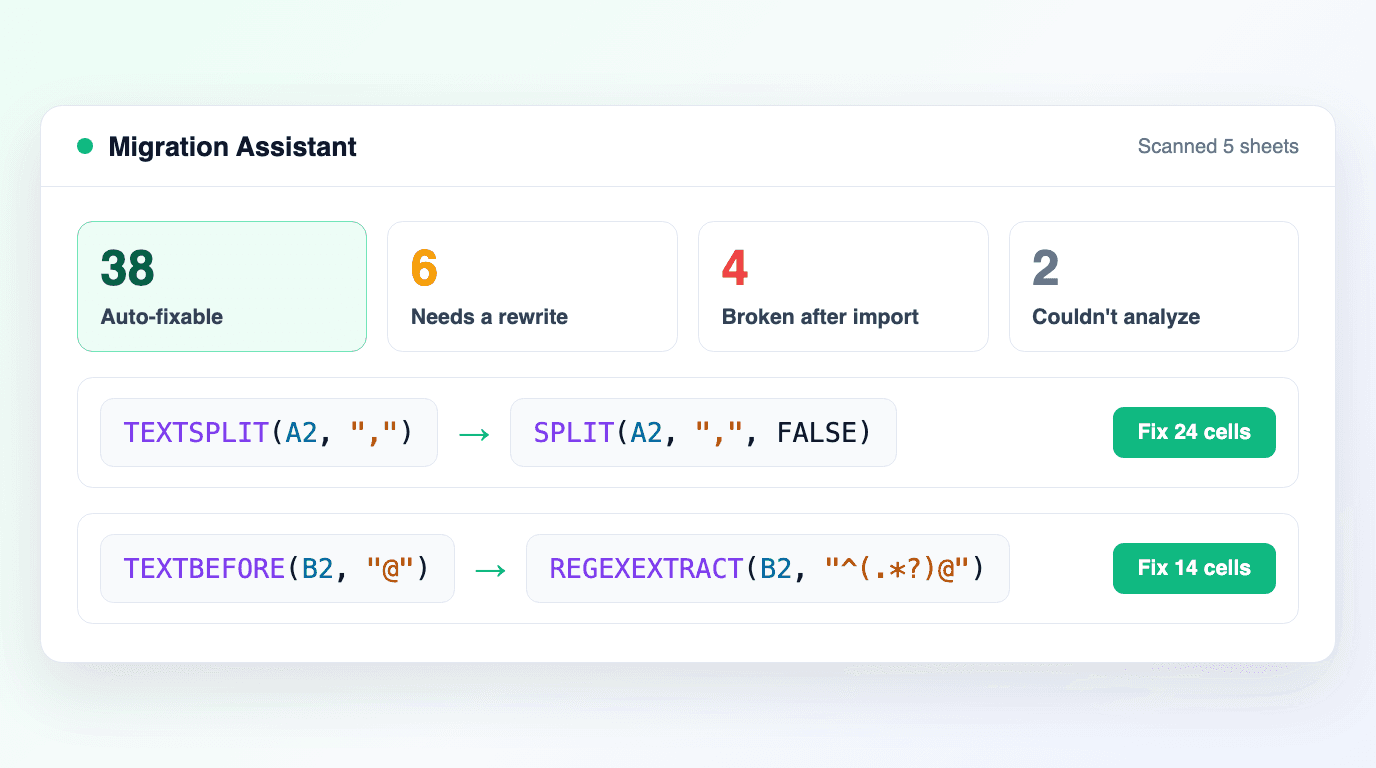
Every problem lands in one of four groups: Auto-fixable, Needs a rewrite, Broken after import and Couldn't analyze. Identical formulas are grouped, so a formula filled into 500 cells is one decision.
Fixes you approve
For an auto-fixable group, click Fix N cells, or Fix all for the whole list. The formula is rewritten in every cell of the group in one go.
The newest translations turn Excel's TEXTBEFORE and TEXTAFTER into REGEXEXTRACT patterns for Google Sheets.
When a function has no equivalent on the other platform, the assistant names it and does not guess. Open in editor takes you to the cell to rewrite it yourself.