Installing Formula Foundry and creating your account with Google Sheets:
STEP 1
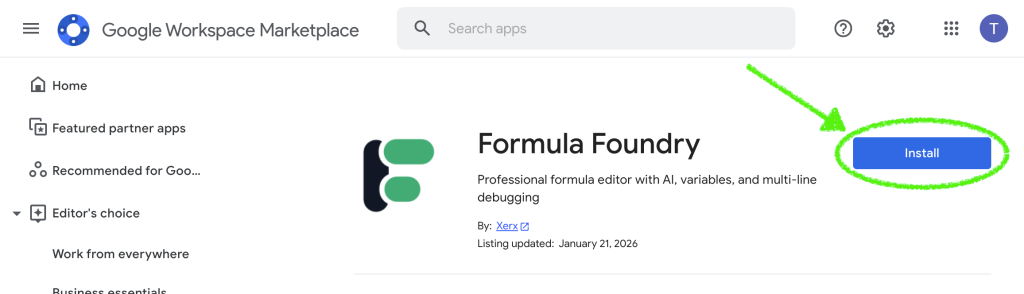
- Follow this link to the Formula Foundry “Google Workspace Marketplace” page
- Click the Install button to add Formula Foundry to your extensions
STEP 2
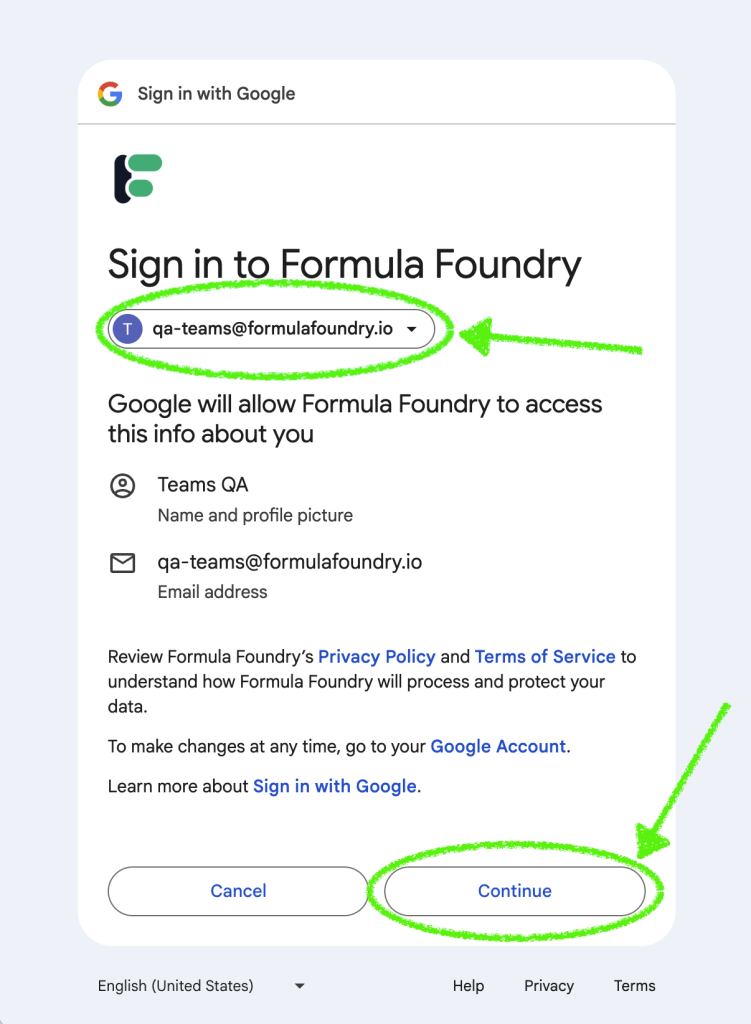
- Select a Google account you would like to use with Formula Foundry using the dropdown menu
- Click the Continue button
STEP 3
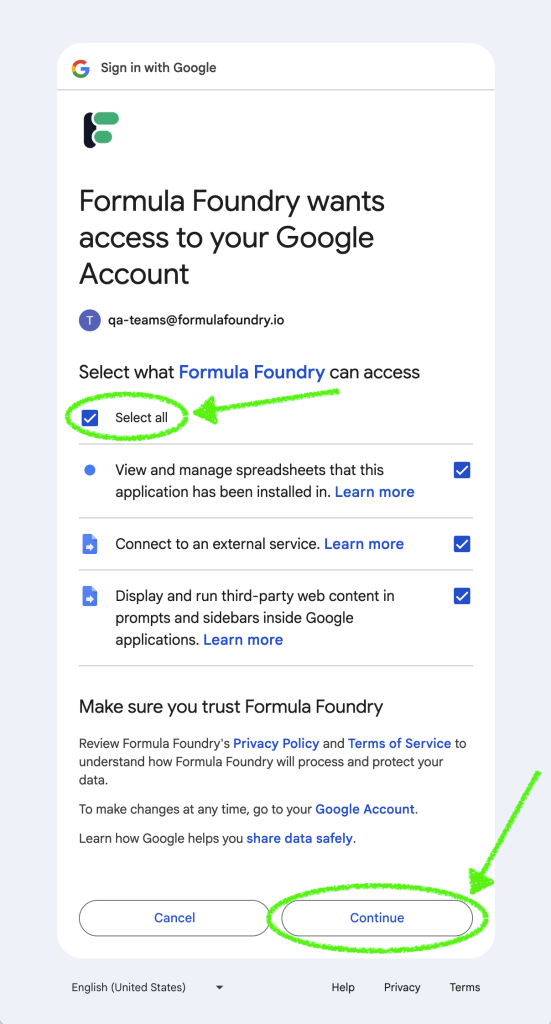
- Check the box Select all
- Click the Continue button
STEP 4
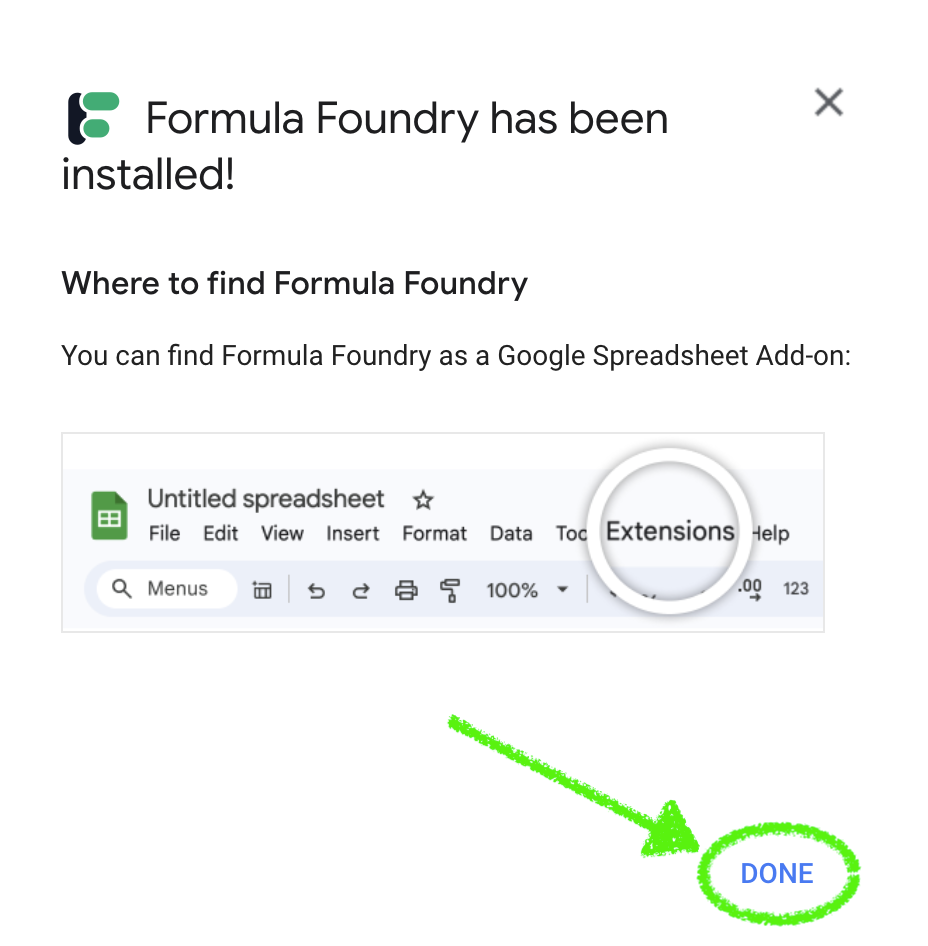
- Installation is complete!
- Note the instructions in the pop-up, as that’s the next step
- Click the Done button in the pop-up to close it
STEP 5
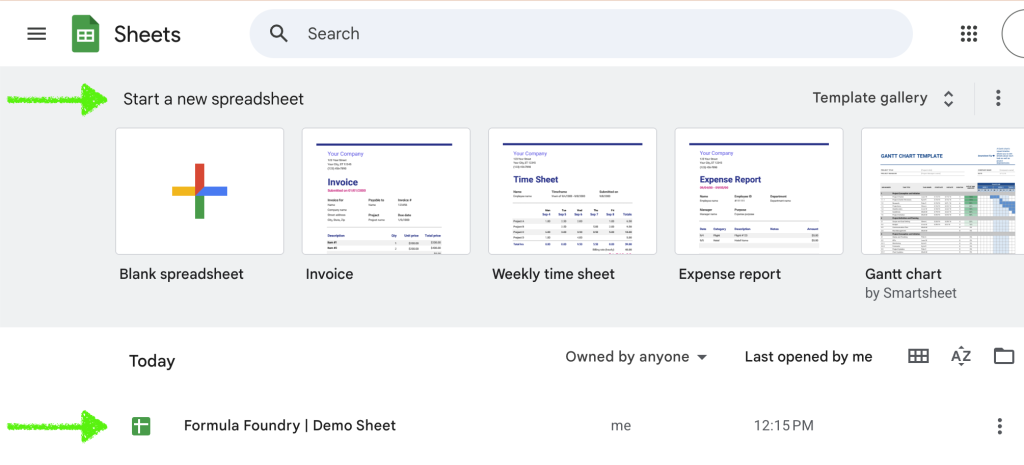
- Follow this link to Google Sheets
- Open a new or existing sheet
STEP 5
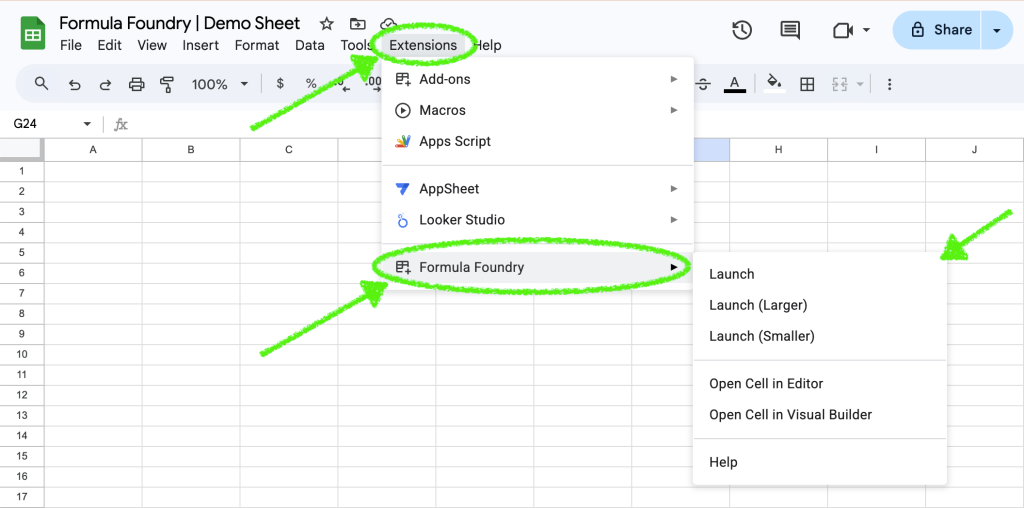
- Click the Extensions menu
- Select Formula Foundry – NOTE – there are multiple options:
- Launch: opens in a standard window size
- Launch (Larger): opens in a larger window size (recommended for larger monitors)
- Launch (Smaller): opens in a smaller window size (recommended for smaller monitors)
- Open Cell in Editor: opens in a standard window size, with the sheet cell currently selected in the sheet pulled into the Editor Tool
- Open Cell in Visual Builder: opens in a standard window size, with the sheet cell currently selected in the sheet pulled into the Visual Formula Builder Tool
Was this article helpful?
Thanks for your feedback!