Interface Overview
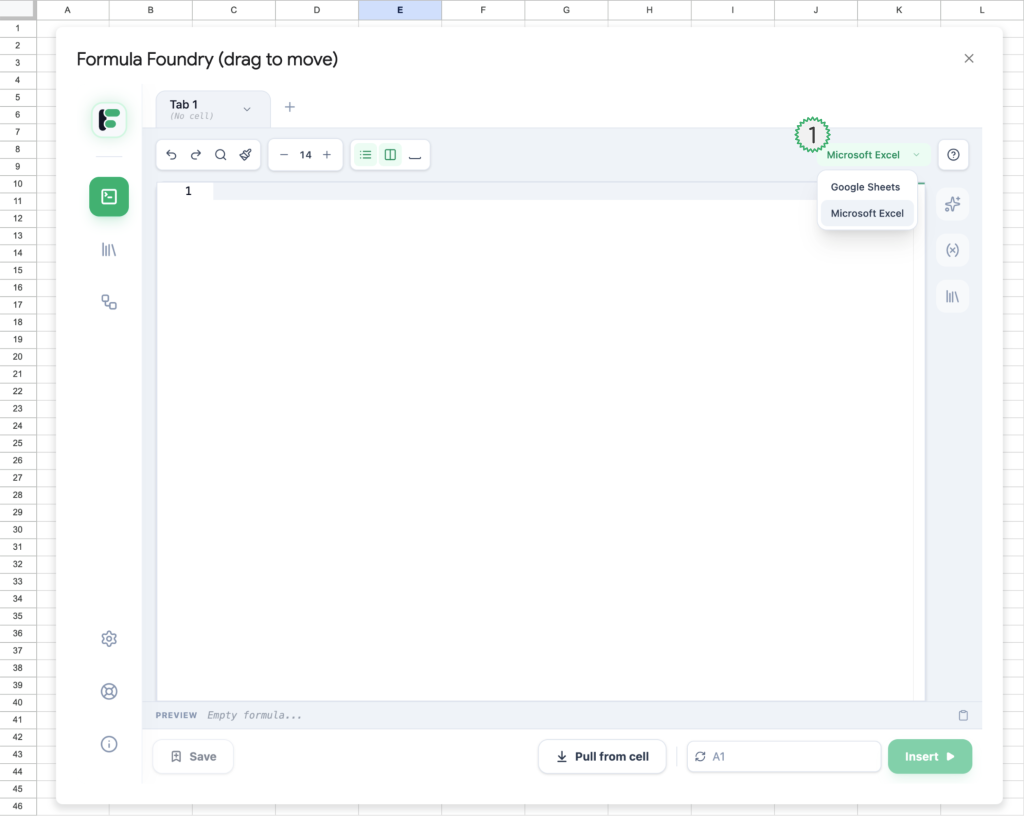
- Dropdown menu to toggle between the syntax expected to be entered by the user in the Editor
- Google Sheets
- Microsoft Excel
Interface Overview Continued
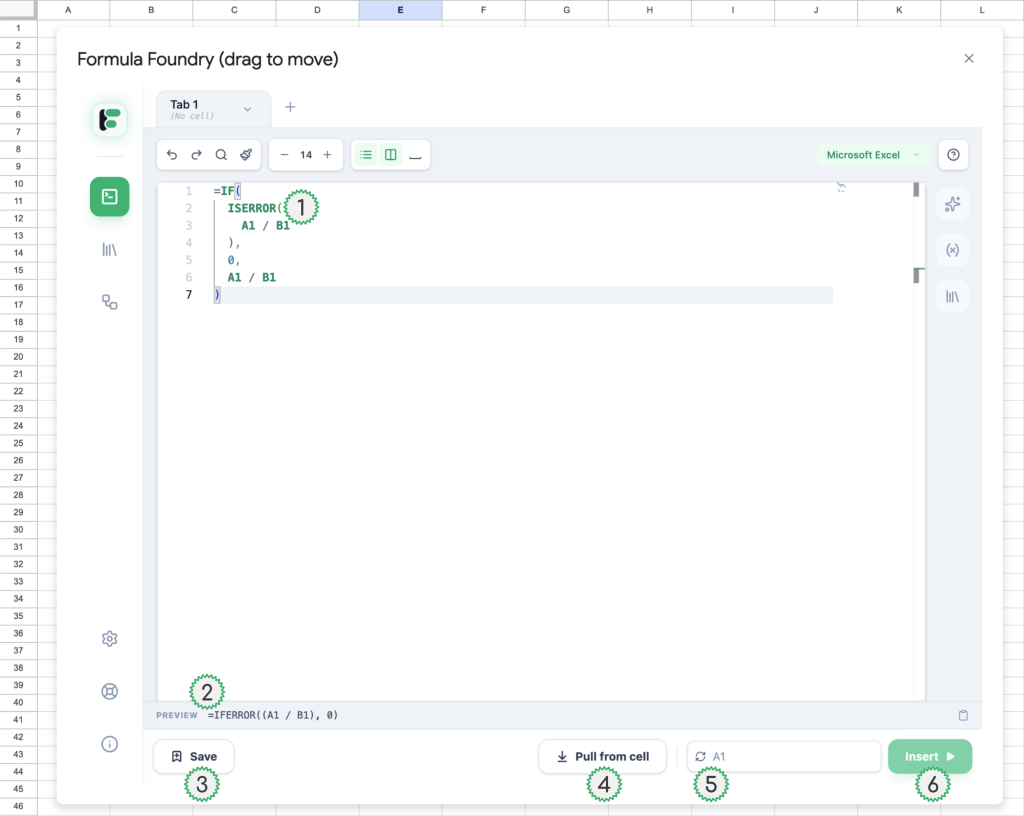
- Example of Excel dialect (formula, ISERROR) in the editor with Microsoft Excel syntax support active
- Example of Formula Foundry automatically translating the Excel dialect into Google Sheets dialect
- ISERROR → IFERROR
- Save code in Editor as a Snippet
- Pull the contents of the currently selected cell in the Sheet into the Editor
- Currently selected cell in Sheet
- Displays the name of the cell currently synced with the Editor
- Sync (refresh icon) button updates which cell is currently selected in the sheet
- Insert Editor code (of the currently viewed tab) into the currently synced cell in the sheet
Formulas Currently Supported
- Smart Fixes
- Converts IF(ISERROR(…)) to IFERROR(…)
- Translates AGGREGATE(…) to SUBTOTAL(…)
- Removes unnecessary ‘–‘ from SUMPRODUCT
- Function Names
- Converts statistical functions (e.g., STDEV.S to STDEV)
- Translates text functions (e.g., LEFTB to LEFT)
- Remaps common names (e.g., CONCATENATE to CONCAT)
- Syntax
- Strips the implicit intersection ‘@’ operator
- Corrects TEXT(…) function date/time formats
- Wraps implicit array operations in ARRAYFORMULA()
Please Contact Us us with Requests for additional Syntax Support!
Fill out the form on https://www.formulafoundry.io/support/
Or email us at [email protected]
Was this article helpful?
Thanks for your feedback!